 Dinbhar One
A 360° view of your field force, every day
Ready-made dashboards for attendance, field movement, customer visits and sales — with one set of filters, comparison with the previous period and a click-through to every person behind a number.
- First 10 users free forever
- Every feature included
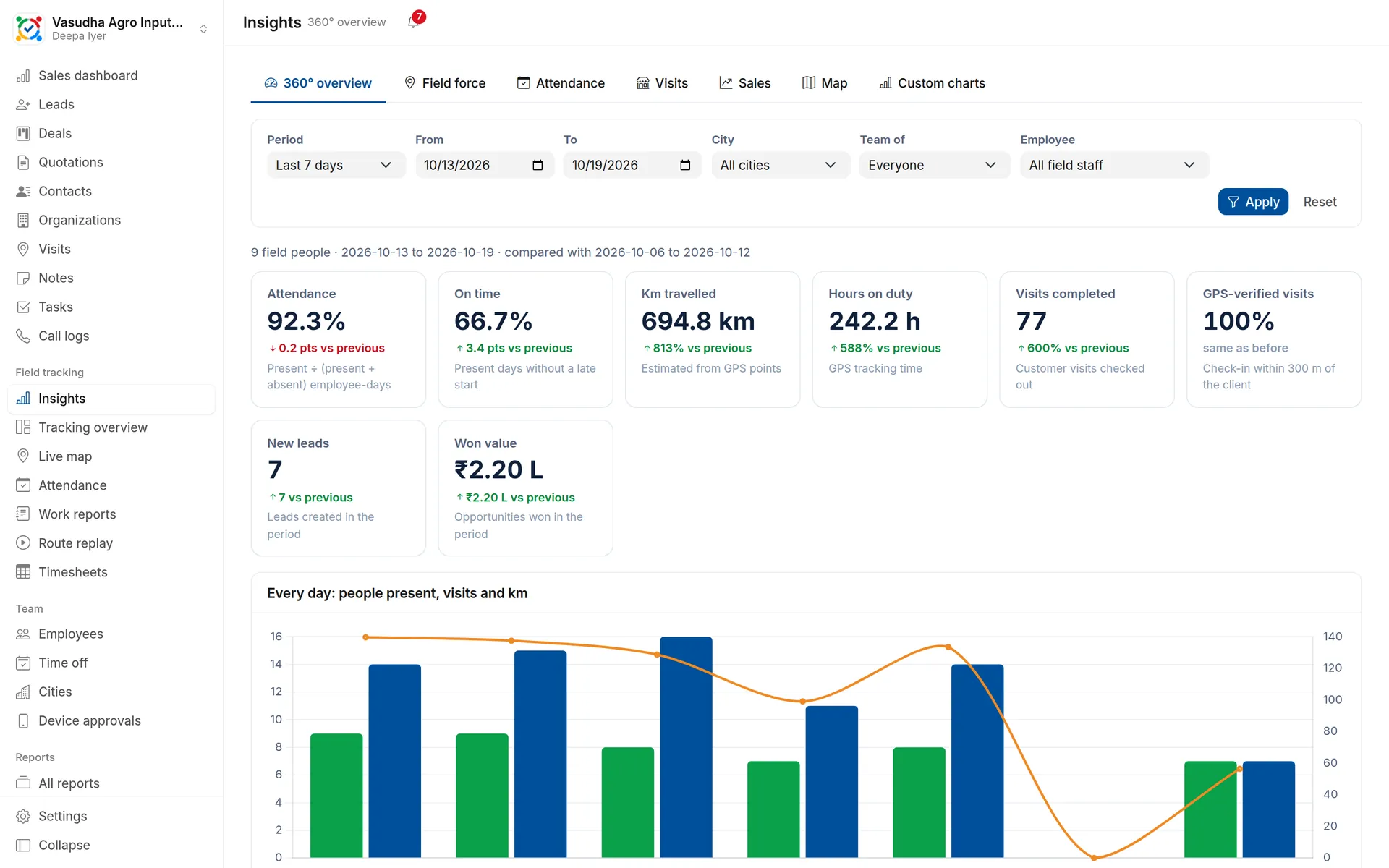
What your managers see
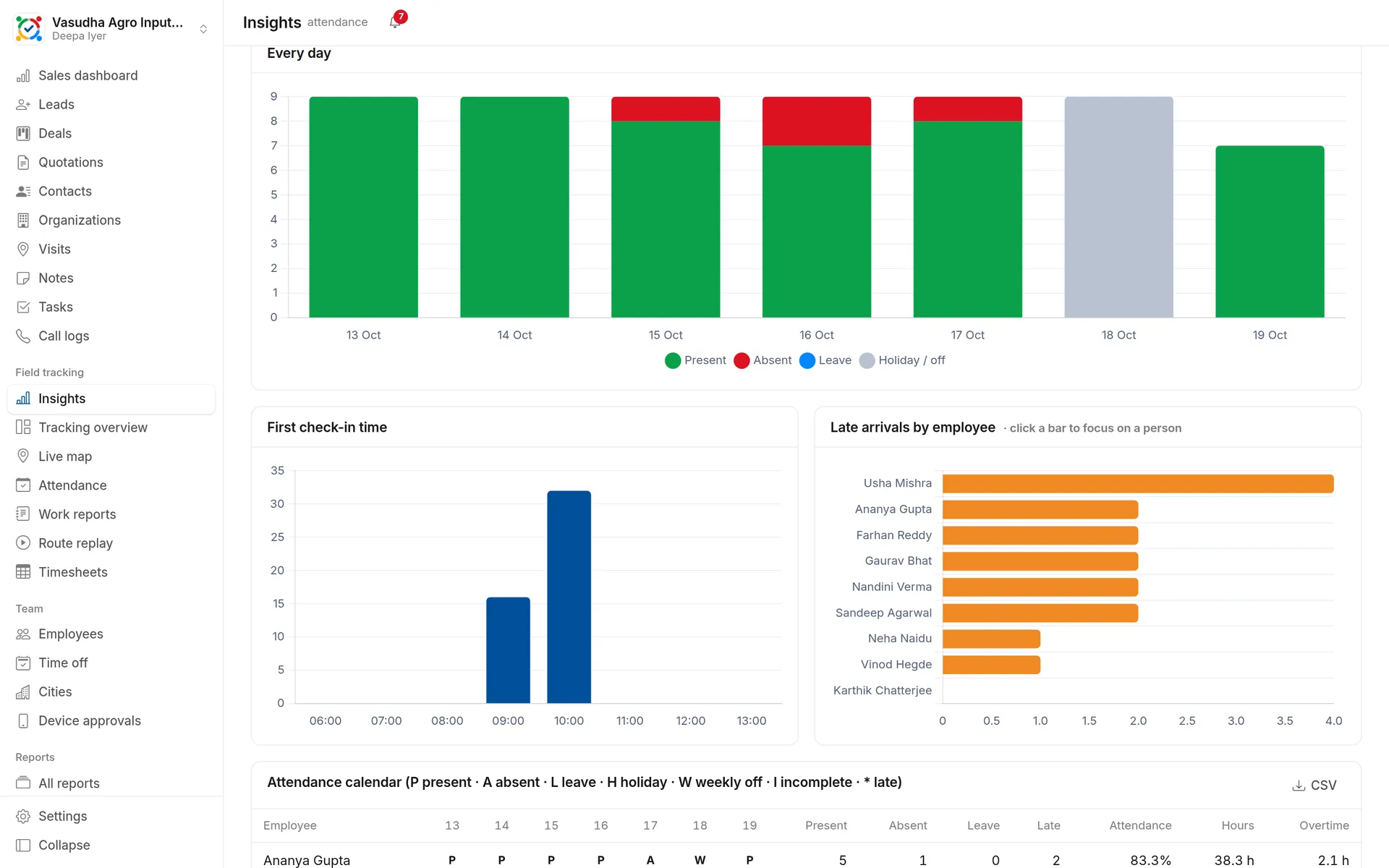
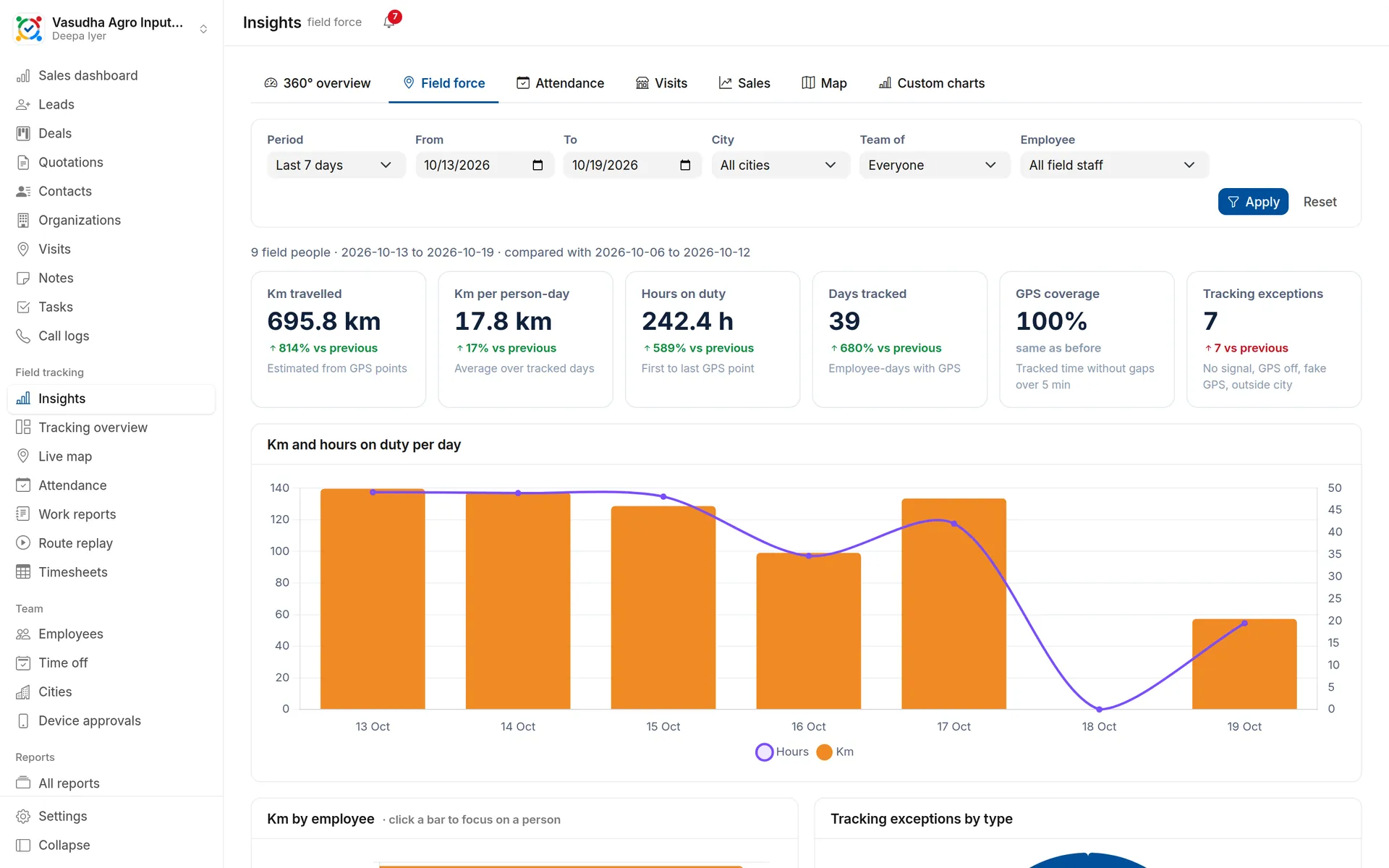
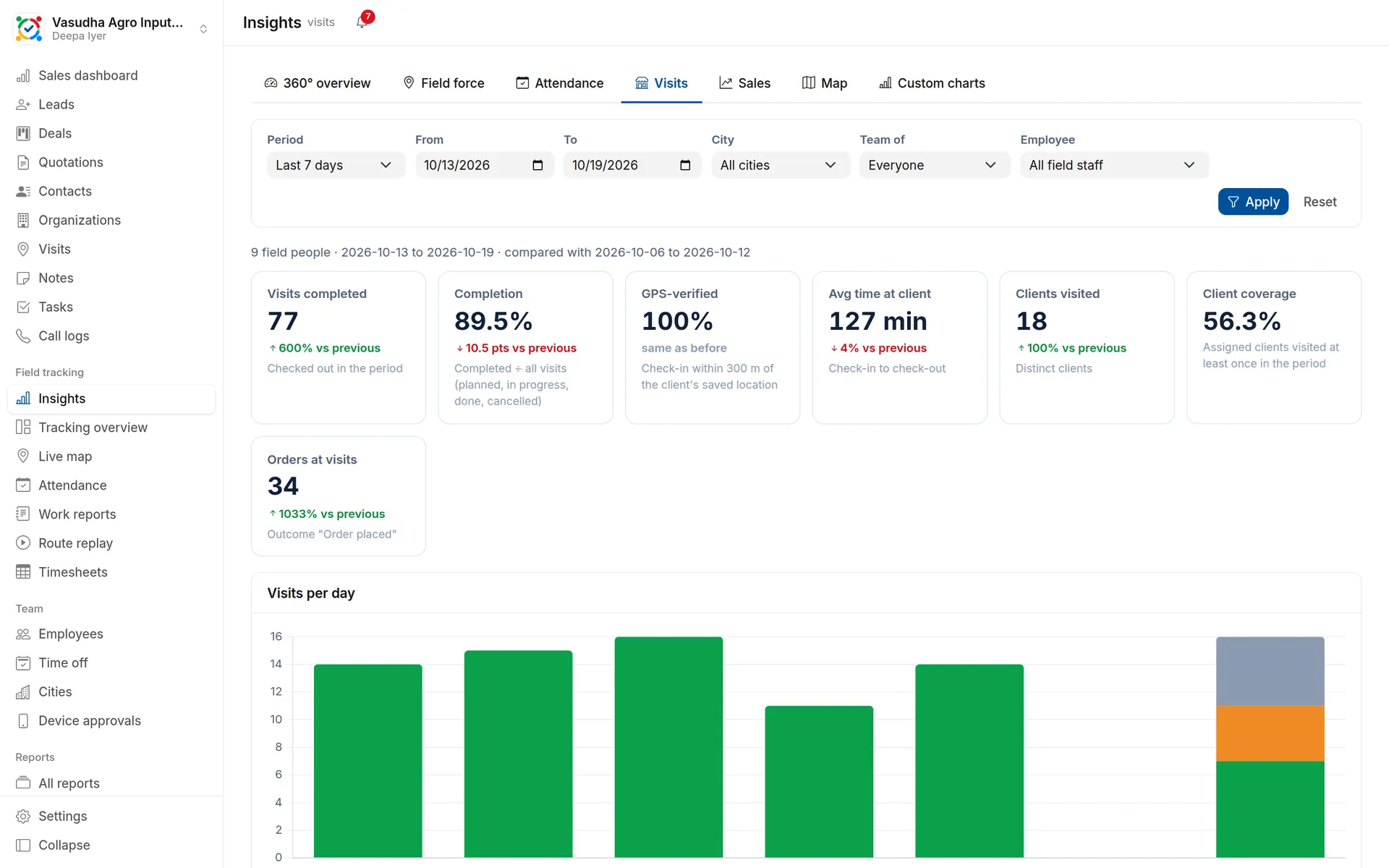
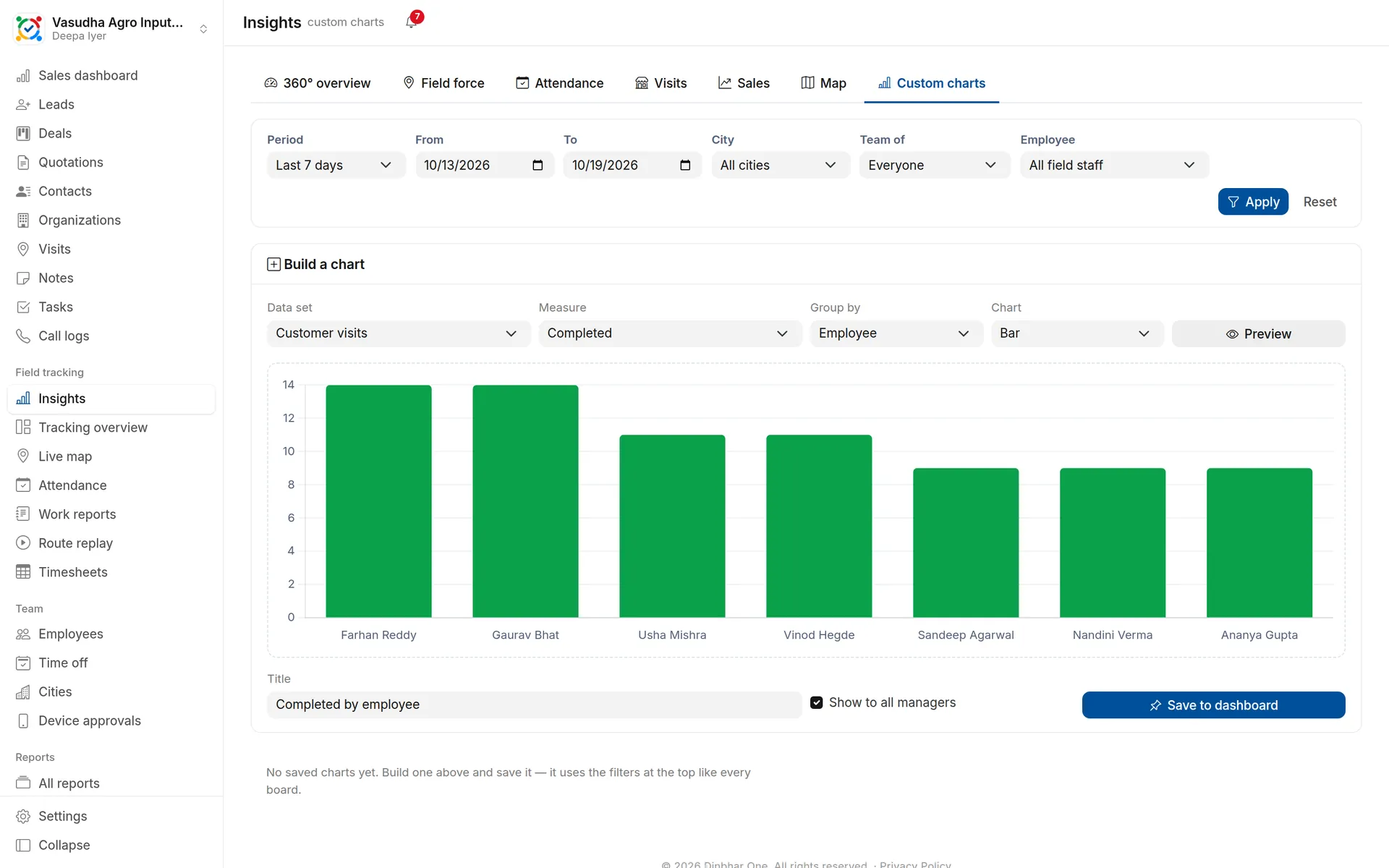
Attendance, on-time, km, hours on duty, visits and sales for the whole team.Who was present each day, check-in times, late arrivals and a person-by-day calendar.Km, hours on duty, GPS coverage and tracking exceptions by person.Planned vs completed, GPS-verified visits, time at client and outcomes.Build your own chart from seven data sets and pin it to the dashboard.
Insights dashboards in Dinbhar One
360° in one screen
Attendance %, on-time starts, km travelled, hours on duty, visits completed, GPS-verified visits, new leads and won value — each compared with the previous period.
Filters that follow you
Today, last 7 or 30 days, this or last month, or any range; by city, by a manager's team or one person. Managers see only their own people.
Attendance calendar
Every person, every day: present, absent, leave, holiday or weekly off, late starts marked, with hours and overtime.
Click to drill down
Click a person's bar to see the whole board for them; open their route replay or a visit from the tables.
Build your own charts
Pick a data set — attendance, GPS, visits, leads, opportunities, calls or leave — a measure, a grouping and a chart, and pin it for your managers.
Everywhere you are
On the website, in the Android app for managers, and "My insights" for each employee with their own figures.
Up and running in three steps
Open Insights from the menu
Pick the period, city or team
Click through to people, routes and visits — or export the table
Works together with
Do managers see other teams?
No. Managers see their own reporting line, city administrators their cities, and administrators the whole company.
Can employees see Insights?
Yes — "My insights" shows each employee only their own attendance, movement, visits and sales.
Can I export the numbers?
Every table downloads as CSV, and every board can be opened for any period up to 92 days.
Try insights dashboards with your team
First 10 users free forever. No card needed.