 Dinbhar One
See which customers were covered — and which were missed
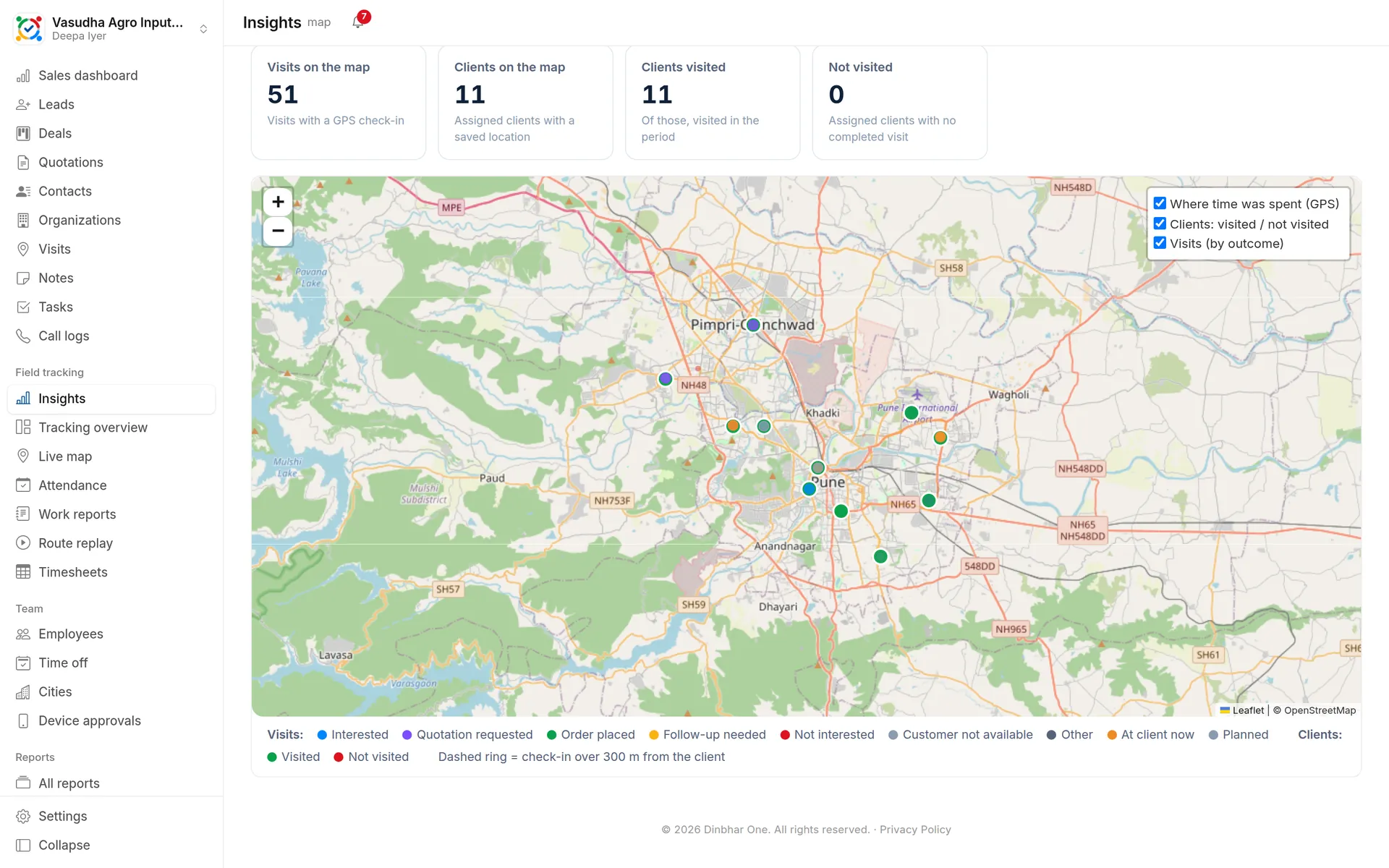
Every visit on the map, coloured by outcome, every client marked visited or not visited, and a heat layer of where your team actually spent its time.
- First 10 users free forever
- Every feature included
Visit & coverage map in Dinbhar One
Visits by outcome
Order placed, interested, quotation requested, follow-up, not available — each visit a pin you can open.
Coverage at a glance
Clients visited in the period are green, missed clients red, with days since the last visit.
Where time was spent
A heat layer built from GPS points shows the areas that took the team's day.
GPS proof
A dashed ring marks visits where the check-in was more than 300 m from the client's location.
Up and running in three steps
Assign clients and their visiting team
Field staff check in at clients from the app
Open the map in Insights and filter by period, city or team
Works together with
Where do client locations come from?
From import (latitude and longitude columns) or set from the app on the first visit.
Try visit & coverage map with your team
First 10 users free forever. No card needed.